


Paint by numbers from your own photo
Choose a photo: Tubomix cuts it into areas a painter can fill, gives each shade a number and tells you how to mix every number with the tubes you own. Print it in A4 or A3 and paint.
An example, computed by Tubomix
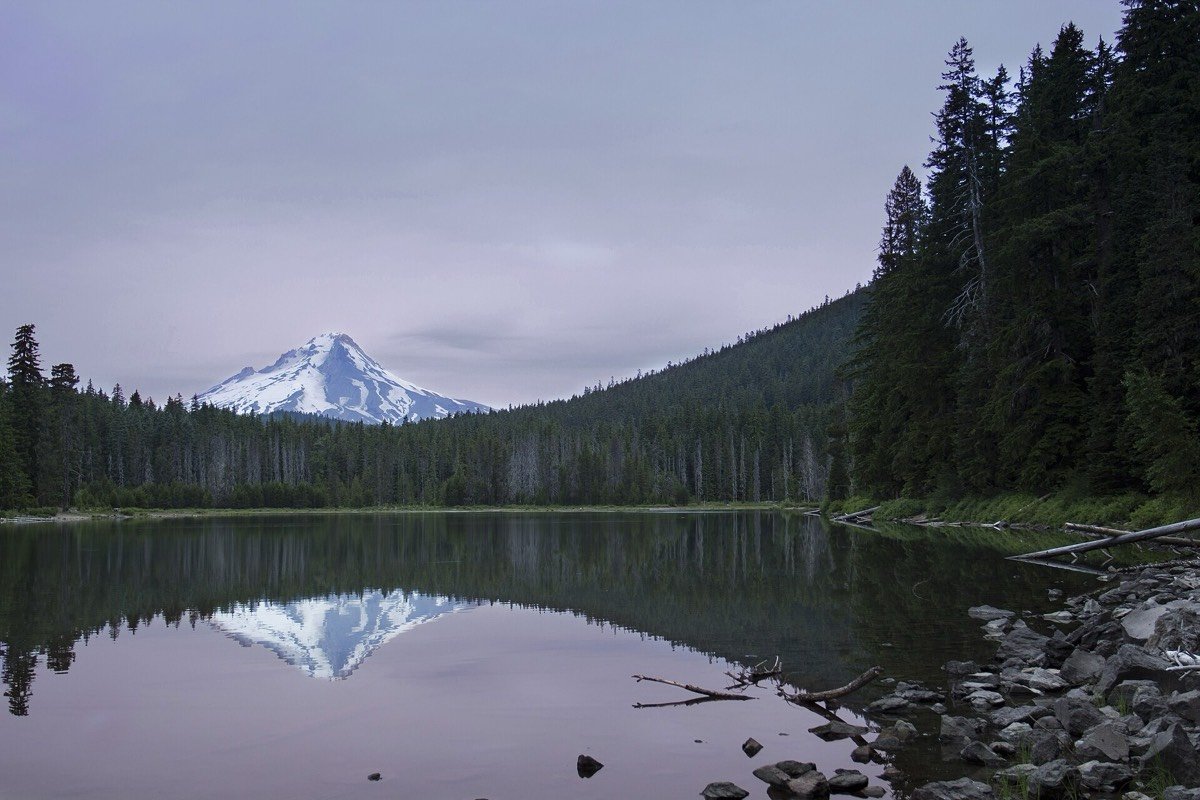
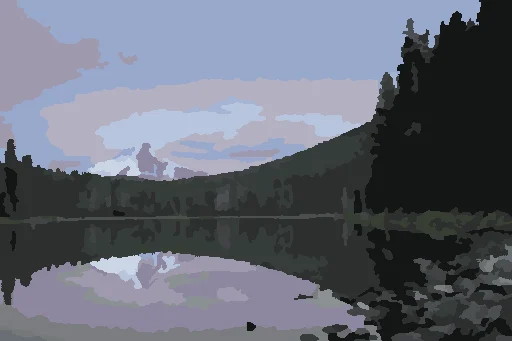
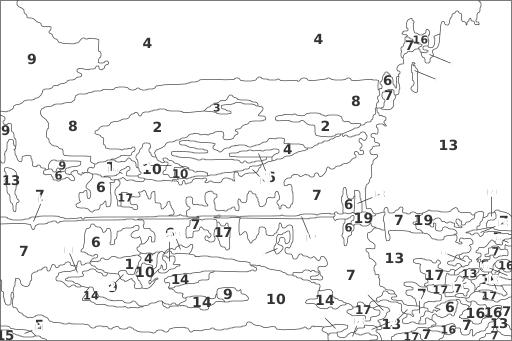
Example made with the “Classic” box, level of detail “Medium”.
The numbers and their mixes
- 1dusty blue, much lighter — 1 part of no. 4 + 6 parts Titanium white
- 2dusty blue, lighter — 1 part of no. 4 + 2 parts Titanium white
- 3dusty blue, a little lighter — 2 parts of no. 4 + 1 part Titanium white
- 4dusty blue — 6 parts Titanium white + 1 part Ultramarine blue + a touch of Burnt sienna
- 5dusty blue, darker — 6 parts of no. 4 + 1 part Ivory black
- 6dark grey — a touch of Ivory black + 2 parts Yellow ochre + 2 parts Ultramarine blue
- 7dark grey, darker — 6 parts of no. 6 + 1 part Ivory black
- 8dusty violet, lighter — 1 part of no. 10 + 2 parts Titanium white
- 9dusty violet, a little lighter — 2 parts of no. 10 + 1 part Titanium white
- 10dusty violet — 7 parts Titanium white + 2 parts Ultramarine blue + 2 parts Burnt sienna
- 11dark grey, lighter — 1 part of no. 13 + 2 parts Titanium white
- 12dark grey, a little lighter — 2 parts of no. 13 + 1 part Titanium white
- 13dark grey — 2 parts Ivory black + a touch of Cadmium yellow medium + 3 parts Ultramarine blue
- 14grey, lighter — 1 part of no. 16 + 2 parts Titanium white
- 15grey, a little lighter — 2 parts of no. 16 + 1 part Titanium white
- 16grey — 1 part Titanium white + 1 part Ultramarine blue + 2 parts Raw umber
- 17grey, darker — 6 parts of no. 16 + 1 part Ivory black
- 18warm green grey — 1 part Titanium white + 1 part Cadmium yellow medium + 6 parts Ultramarine blue
- 19warm green grey, darker — 6 parts of no. 18 + 1 part Ivory black
Parts are by volume. Mix the base colour first, then lighten it with white.
How it works
Choose a photo
Take one or pick one from your phone or computer. It stays on your device: nothing is sent.
Choose your colours
Tubomix finds the six main colours of the photo; add or take some out (up to ten).
Choose the level of detail
Big areas to begin, Medium, or Fine for the experienced: small areas are merged into their neighbours.
Print and paint
The sheet has the numbered drawing, the legend with each mix in parts, and the photo in colour as a reference.
Questions
Is it free?
Yes. Tubomix is free, with no account and no advertising.
Is my photo sent to a server?
No. Everything is computed in your browser; the photo never leaves your phone or computer.
Which paints?
Acrylic, oil or gouache: the mixes use the tubes of your box (by default a classic box). Watercolour works too, with water instead of white.
Can I print it big?
Yes: the drawing is vector, sharp on A4 or A3. You can also download it as SVG to scale it to your canvas.